
Similar games
More Teen Titans Go Ninja Run
TOP
 Jellystone Express
TOP
 Siren City Ambulance Game
NEW
 Blokoparkur
NEW
 Obby Snow Shoveling
NEW
 Mini Soccer 3D
NEW
 Tower Craft
 Angry Pets 3D Boom
 Guest666 Virus Lab 7
 Throw Knives Ragdoll SlowMo
 Collect Leaves Faster Than Anyone
 Soccer in the schoolyard and funny pranks
 1
 0
 Controls
New games
More Crazy Cart
NEW
 Castle Story Match3!
NEW
 Animals Kart
NEW
 Ring Unhook
NEW
 Ambulance Rescue Parking Simulator
 Galaxy Strike Alien Assault
 Third Front
 Wizards of Acron
 Tapdoku Logic Puzzle
 Fruit Surgeon Slice and Save
 Beach lost and found
 Barbershop Simulator
HARVESTORIA: Tractor Farming
About HARVESTORIA: Tractor Farming
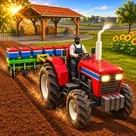
HARVESTORIA: Tractor Farming puts you in charge of the machinery on a 3D farm. After choosing a tractor, open Spring Plowing and start the first job. Farmer Joe gives you a field with two rows to sow. The job begins in a shed on foot, with a bright red tractor parked ahead and a long green seed drill to the left. Follow the arrows to the tractor or use Auto Walk to have the farmer find it for you.
The first thing to learn in the driver's seat is how the hitch lines up. Back toward the seed drill slowly and use the green marker and distance readout to judge your approach. The camera swings around when you reverse, so give yourself a moment to see where the rear of the tractor is pointing. When you are close enough, press F. The seed drill follows behind the tractor and the objective changes to driving to the field.
Once the machine is attached, watch where its ends swing when you turn. The tractor fits through spaces that are too narrow for the seed drill. Take the wider route out of the shed and look for the yellow arrow to check which direction the field marker is in. Aim to straighten the tractor before you reach a row so the drill can follow through behind you.
The opening mission uses a countdown and breaks the work into individual objectives, so the instruction at the top left tells you what to do next. Give yourself a practice run to get used to reversing and steering with the attachment. The chapter screen tracks stars under each mission, and the later seasons appear locked when you first arrive.
The tractor selection screen labels the starting vehicle Farm Red, which makes it easy to recognise once you enter the shed. On foot, the yellow arrows lead you to the driver's seat. In the tractor, the distance readout changes to the next target. Look for that change before you drive away. If the panel still asks you to attach the machine, stop and line up the hitch again so you don't waste part of the countdown driving out on your own.
On the trip to the field, the road, hay shelter and sunflower patch give you landmarks for judging where you've turned. The seed drill has a row of blue boxes with red lids, so you can see how far it sticks out on each side from the rear view. Slow down before you pass a post or fence and leave room on the inside of the turn. A slightly wider approach also gives you more space to correct your angle without having to reverse with the drill attached.
Treat the first attempt as a sequence of smaller tasks. Practise entering the tractor and making the hitch, then see how much time you have left at the field marker. If you lose time lining up, use shorter bursts in reverse on the next run. If you lose it on the way out, pick your route while the tractor is stopped. The objective panel gives you a point of reference whenever you need to check which part of the job you are on.
How to play
Play on a computer with a keyboard. Use WASD to walk, or press T to auto-walk to the tractor in the first mission. Drive and steer with WASD or the arrow keys. Reverse with S, line up the rear of the tractor with the seed drill and press F to hitch it. Space applies the handbrake. Follow the yellow arrow toward the field and read the objective panel for your next task.
FAQ
How do I attach the seed drill?
Reverse toward the machine until the rear hitch is close to the green marker, then press F. The objective changes to Drive to your field when the drill is attached.
What is the first mission in HARVESTORIA?
Start the first level of Spring Plowing. Farmer Joe asks you to get in the tractor, attach the seed drill, drive it to the field and sow both rows.
What does the yellow arrow show?
It points to the current objective. The number below it shows the remaining distance in meters.
Can I play HARVESTORIA: Tractor Farming on a phone?
The publisher lists this browser version as desktop only. Use a computer with a keyboard for the tractor controls.