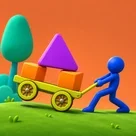
<p>Crazy Cart is a physics puzzle about packing a small trolley and getting it to the finish with its cargo aboard. The pieces start in a tray below the course. Drag each shape up to the trolley and let it fall into place. You can see how the pieces lean, slide, and settle as soon as you let go. Once the load is ready, the blue character pulls the trolley along the course and you find out how well your arrangement holds up.</p>
<p>One of the early levels gives you two orange blocks and a purple triangle. The blocks have broad, flat bases, which makes them easy to put directly on the bed. Try leaving a gap between them for the triangle. In a successful run, the triangle tipped between the blocks as the trolley got moving and stayed on the bed. Keep your first two drops low if you can, then use the space between the pieces that have already settled.</p>
<p>The next level gives you three purple triangles, including one that starts upside down in the tray. Now there are fewer flat surfaces to work with. A piece close to the handle might look safe while the trolley is still, then slide off as the character starts pulling. If a piece bounces toward the edge, remember which one moved first. On another attempt, give that piece more room toward the middle before adding the last shape.</p>
<p>Where you release a shape matters as much as where you want it to land. Releasing higher up gives it farther to fall and more chance to bounce into a piece that was already steady. Release close to the trolley bed when you're placing the base of the load, and watch for a moment to see which way its weight shifts. If two pieces keep colliding, vary their order so you can set the wider one down first.</p>
<p>The bar at the top has three star markers, and the result screen shows how many stars you earned. One star was enough to finish the level with the two blocks. From the result screen you can retry the same layout or move on to see a different set of pieces. The New Trolley panel also tracks progress toward another cart as you complete levels.</p>
<p>If a run fails, try changing one placement on your next attempt. Keep the pieces that made it through in the same position and move the one that fell. That makes it easier to see whether the trouble came from an awkward drop or from a stack that started to shift once the trolley moved.</p>

 Milo: Toy Workshop Adventures
TOP
 Chaos Photography
TOP
 Castle Story Match3!
NEW
 Ring Unhook
NEW
 Tapdoku Logic Puzzle
 Beach lost and found
 Lost Crystal
 Chess Merge
 Halloween Story Match 3 Games
 Number Hell
 Colorful Crab
 Arrow tiles merge three
 1
 0
 Controls
 Siren City Ambulance Game
NEW
 Blokoparkur
NEW
 HARVESTORIA: Tractor Farming
NEW
 Obby Snow Shoveling
NEW
 Animals Kart
NEW
 Mini Soccer 3D
NEW
 Tower Craft
 Ambulance Rescue Parking Simulator
 Galaxy Strike Alien Assault
 Third Front
 Angry Pets 3D Boom
 Wizards of Acron