


Choose from our recommended games
















































































-
Adventure
-

Puzzle
-

Wow Wow Wubbzy
-

Girl
-

Friday Night Funkin
-

My Little Pony
-

Cooking
-

Lego
-

Frozen
-

Cars
-

Ben 10
-

Princess
-

Kids
-

Paw Patrol
-

Hello Kitty
-

2 Player
-

Peppa Pig
-

Sofia the First
-

Minecraft
-

All categories














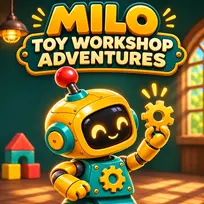
Milo: Toy Workshop Adventures
 04 Nov 2026
 34
 1
Play free Milo: Toy Workshop Adventures - Kids Games
Meet Milo, a cheerful little robot with a workshop full of big adventures! In Milo: Toy Workshop Adventures, you will explore colorful toy worlds, recover missing treasures and bring a magical workshop back to life. Choose your robot parts, follow the mission hints and help Milo repair the inventions waiting along the way.
Build your adventurer
Before each mission, choose how Milo moves and which tool he carries. Wheels are fast and nimble, springs make higher jumps, and tracks help him resist the wind. Equip a claw to collect objects, a magnet to attract metal, or a propeller to power special mechanisms. Each mission starts with recommended parts, so you can get straight to the adventure. If you want to change your setup, open Pause and choose Change Parts.
Explore 15 toy-workshop missions
Travel from a cozy toy room to secret gardens, railway depots and a sparkling observatory. Ride moving toy trains, climb bubbles before they pop, switch red and blue bridges, and time your jumps past candy presses. Later adventures introduce cloud launch pads, glowing lantern bridges, a river raft and a musical puzzle. The final mission brings Milo's inventions together as you restore the heart of the workshop.
Each of the 15 missions has four districts, a special item to recover and mechanism tasks to finish. Use your tool near the matching objects and consoles, then reach the mission's destination to unlock the next adventure. Watch the hints in the garage, on the screen and in the pause menu when you need a reminder.
Collect gears and earn stars
There are 18 gears to find in every mission, with 270 across the campaign. Finish a mission to earn a star, collect at least half its gears for a second star, and find all 18 without taking a hit or falling to earn three stars. Replay unlocked missions to improve your results and work toward all 45 stars.
Checkpoint flags help you recover after mistakes, and you can retry whenever you need another attempt. Your browser can save unlocked missions and best star results when local storage is available. No account is required. Play with a keyboard or the on-screen touch buttons, turn the sound on if you like, and join Milo for a cheerful adventure made for curious players!
Related categories
How to play
Move with the Left/Right arrow keys or A/D. Jump with Space, W or the Up arrow. Press E to use your equipped tool. Press Escape or the Pause button to take a break. On a touchscreen, hold a direction button with one finger and tap Jump or Tool with your other thumb. Hold Jump to keep hopping. Release direction while riding a cart, lift or raft. Run onto golden cloud launch pads without jumping first. Recover the mission item, complete the mechanism tasks and reach the destination. Use the recommended tool near items, switches and repair stations. Follow the mission hints; some bridges must be recharged, and musical keys must be played in the displayed order. Change Parts and Retry are available from Pause. Finish each mission to unlock the next. Collect all 18 gears without a hit or fall for three stars. Use the sound button to enable or mute music and effects.
Frequently asked questions
How do I unlock the next mission?
Recover the mission item, complete its mechanism tasks and reach the destination. Completing the mission unlocks the next adventure.
How do I get three stars?
Collect all 18 gears in a mission and finish without taking a hit or falling. There are 45 stars to earn across 15 missions.
Which robot parts should I choose?
The garage starts with the recommended movement parts and tool for that mission. Read the hint before starting, and use Pause > Change Parts if you need another setup.
Can I play with touch controls?
Yes. Use the on-screen direction buttons and tap Jump or Tool with your other thumb. The layout adapts to portrait and landscape screens.
Does the game save my progress?
The game saves unlocked missions and best star results locally when browser storage is available. Use the same browser and website to continue; clearing site data can remove the save.
Do I need an account or a download?
No account or software download is required. The HTML5 game runs in your web browser.
How do I use carts, lifts and rafts?
Activate the mechanism with the correct tool when needed, jump aboard, then release direction to ride. Jump off when you reach the next platform.
Can I turn off the music and sound?
Yes. The sound button switches the game music and sound effects on or off.


