


Choose from our recommended games

















































































-
![3D Games]()
3D
-
![Wow Wow Wubbzy Games]()
Wow Wow Wubbzy
-
![Girl Games]()
Girl
-
![Friday Night Funkin Games]()
Friday Night Funkin
-
![My Little Pony Games]()
My Little Pony
-
![Cooking Games]()
Cooking
-
![Lego Games]()
Lego
-
![Frozen Games]()
Frozen
-
![Puzzle Games]()
Puzzle
-
![Cars Games]()
Cars
-
![Ben 10 Games]()
Ben 10
-
![Princess Games]()
Princess
-
![Kids Games]()
Kids
-
![Paw Patrol Games]()
Paw Patrol
-
![Hello Kitty Games]()
Hello Kitty
-
![2 Player Games]()
2 Player
-
![Peppa Pig Games]()
Peppa Pig
-
![Sofia the First Games]()
Sofia the First
-
![Minecraft Games]()
Minecraft
-
![Five Nights at Freddy Games]()
Five Nights at Freddy
-

All categories
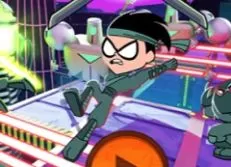


Obby Build a 3D amusement park 1 per second
 21 Dec 2025
 472
472 1
1
Play free Obby Build a 3D amusement park 1 per second - Roblox Games
Build your own roller coaster world and turn your wildest ideas into thrilling rides that defy gravity. In this creative sandbox experience, you are free to design, test, and improve roller coasters exactly the way you want. Place rails piece by piece, experiment with sharp turns and steep drops, and create unique tracks that reflect your imagination and engineering skills.
The game encourages creativity and social interaction. You can record videos of your roller coasters in action and share them with friends, showing off your best designs and most daring rides. Watching your creations come to life adds an extra layer of excitement, especially when others can experience and react to what you have built.
Competition also plays an important role. You can take a ride on roller coasters created by your rivals and see how their designs compare to yours. This allows you to gain inspiration, challenge yourself to build even better tracks, and prove that your roller coaster world stands out from the rest. Trying other players’ creations keeps the gameplay fresh and motivates constant improvement.
The controls are simple and intuitive, making building and exploring easy on any device. On PC, you move using the W, A, S, and D keys, jump with the spacebar, rotate the camera by holding the right mouse button and moving the mouse, place rails with the E key, and remove rails with the X key. These controls allow precise construction and smooth navigation around your world.
On mobile devices, movement is handled with the left joystick and on-screen buttons, while the camera is rotated by holding and dragging on the right side of the screen. Rail placement and removal are done using the buttons on the right. During gameplay, you can activate health packs and boosts to gain an advantage and aim to be the first to complete daring rides and ambitious creations.
Related categories
How to play
W, A, S, D - Move SPACEBAR - Jump Right-click mouse movement - Rotate camera Place rails (E). Remove rails (X).


