


Choose from our recommended games






































































-
![Boys Games]()
Boys
-
![3D Games]()
3D
-
![Wow Wow Wubbzy Games]()
Wow Wow Wubbzy
-
![Girl Games]()
Girl
-
![Friday Night Funkin Games]()
Friday Night Funkin
-
![My Little Pony Games]()
My Little Pony
-
![Cooking Games]()
Cooking
-
![Lego Games]()
Lego
-
![Frozen Games]()
Frozen
-
![Puzzle Games]()
Puzzle
-
![Cars Games]()
Cars
-
![Ben 10 Games]()
Ben 10
-
![Princess Games]()
Princess
-
![Kids Games]()
Kids
-
![Paw Patrol Games]()
Paw Patrol
-
![Hello Kitty Games]()
Hello Kitty
-
![2 Player Games]()
2 Player
-
![Peppa Pig Games]()
Peppa Pig
-
![Sofia the First Games]()
Sofia the First
-
![Minecraft Games]()
Minecraft
-

All categories





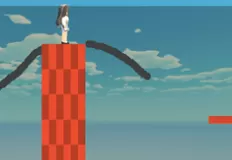


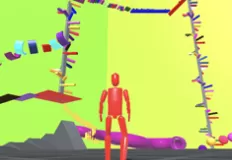


Obby Blind Shot Online
 13 Jan 2026
 538
538 1
1
Play free Obby Blind Shot Online - Roblox Games
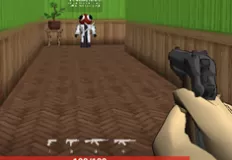
Obby: Blind Shot Online is a unique multiplayer shooter that blends tactical thinking, stealth, and classic Roblox-style gameplay into one intense PvP experience. Unlike traditional shooters, this game removes one of the most important elements: vision. You and your opponents share the same arena, but none of you can see each other. Victory depends not on fast reflexes alone, but on prediction, positioning, and nerve.
Each match is divided into distinct phases that keep the tension high. During the preparation round, players explore the arena to find the best possible hiding spot. Choosing the right position is critical, as you must consider angles, obstacles, and potential enemy movement. Once the shooting round begins, everyone freezes in place, and the arena falls silent. This is where the mind games truly start, as you try to imagine where your opponents might be standing and line up a blind shot.
When the shooting phase begins, every player gets a chance to fire. You cannot see your enemies, so every bullet is a calculated guess. One accurate shot can eliminate an opponent instantly, while a missed shot may cost you the entire round. This creates a thrilling atmosphere where patience and strategy are just as important as courage.
The excitement does not end there. At the end of the match, the remaining survivors are thrown into a dramatic final showdown. Instead of weapons, the last players face each other in a one-on-one slap battle, turning the tension into a chaotic and humorous finale. This unexpected twist adds personality and keeps every match memorable.
How to play: On PC, use WASD to move, the right mouse button to rotate the camera, the left mouse button to interact with the interface, the spacebar to jump, and the mouse wheel to zoom. On mobile devices, use the left side of the screen to move, the right side to rotate the camera, and tap to interact with the interface.
Related categories
How to play
WASD – move RMB – rotate camera LMB – interact with interface Spacebar – jump Mouse wheel – zoom in/out


