


Choose from our recommended games




















































































-
![Boys Games]()
Boys
-
![Wow Wow Wubbzy Games]()
Wow Wow Wubbzy
-
![Girl Games]()
Girl
-
![Friday Night Funkin Games]()
Friday Night Funkin
-
![My Little Pony Games]()
My Little Pony
-
![Cooking Games]()
Cooking
-
![Lego Games]()
Lego
-
![Frozen Games]()
Frozen
-
![Puzzle Games]()
Puzzle
-
![Cars Games]()
Cars
-
![Ben 10 Games]()
Ben 10
-
![Princess Games]()
Princess
-
![Kids Games]()
Kids
-
![Paw Patrol Games]()
Paw Patrol
-
![Hello Kitty Games]()
Hello Kitty
-
![2 Player Games]()
2 Player
-
![Peppa Pig Games]()
Peppa Pig
-
![Sofia the First Games]()
Sofia the First
-
![Minecraft Games]()
Minecraft
-
![Five Nights at Freddy Games]()
Five Nights at Freddy
-

All categories



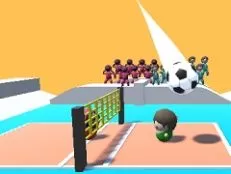
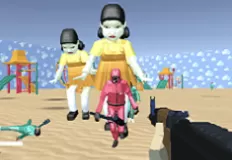







456 Guys
 23 Aug 2025
 2362
2362 1
1
Play free 456 Guys - Squid Game Games
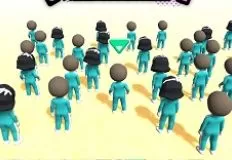
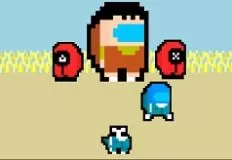
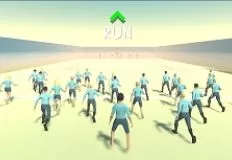
456 Guys is a chaotic and competitive massive multiplayer survival game where up to 456 players enter the arena, but only one can claim victory. Inspired by intense survival challenges, the game throws you into a series of unpredictable trials designed to test your reflexes, strategy, and adaptability. Every round brings new surprises, forcing you to adapt quickly if you want to stay alive and move closer to the final showdown.
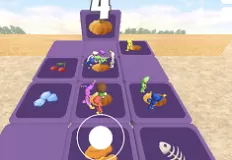
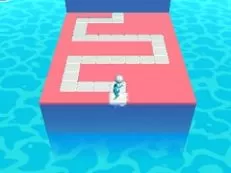
The variety of challenges keeps the gameplay fresh and exciting. You might sprint through dangerous obstacle courses, carefully maneuver across the Glass Bridges, solve the tricky Honeycomb Maze, or fight for dominance in the Sumo Ring. Each arena is unique, blending platforming, puzzle-solving, and head-to-head clashes that push your skills to the limit.
Competition is fierce, but so is the scale. With 456 players in a single match, the chaos is as entertaining as it is nerve-wracking. Quick thinking and clever strategies become just as important as raw speed, especially when traps and rival players are waiting to send you back to the lobby. For those who thrive under pressure, the game also features weekly tournaments, where the best players from around the world battle for glory and bragging rights.
The social side of the game adds another layer of fun. Use emotes to celebrate victories or taunt rivals mid-match, and take advantage of quick chat to coordinate or throw off your opponents. These tools make the competition more interactive and unpredictable, creating memorable moments whether you’re teaming up temporarily or going head-to-head against friends and strangers alike.
Controls are simple yet precise, making it easy to focus on surviving the chaos. On PC, use WASD to move, hold Left Shift to walk, and Space to jump. Press E to push opponents, 1234 for emotes, and Tab for quick chat. If you need to exit mouse look and return your pointer to the screen, press ESC.
Related categories
How to play
Move = WASD Walk = hold left shift Jump = space Push = E Emotes = [1][2][3][4] Quick Chat = Tab Exit Mouse Look & return mouse pointer to screen = ESC


