


Choose from our recommended games

































































































-
![3D Games]()
3D
-
![Wow Wow Wubbzy Games]()
Wow Wow Wubbzy
-
![Girl Games]()
Girl
-
![Friday Night Funkin Games]()
Friday Night Funkin
-
![My Little Pony Games]()
My Little Pony
-
![Cooking Games]()
Cooking
-
![Lego Games]()
Lego
-
![Frozen Games]()
Frozen
-
![Puzzle Games]()
Puzzle
-
![Cars Games]()
Cars
-
![Ben 10 Games]()
Ben 10
-
![Princess Games]()
Princess
-
![Kids Games]()
Kids
-
![Paw Patrol Games]()
Paw Patrol
-
![Hello Kitty Games]()
Hello Kitty
-
![2 Player Games]()
2 Player
-
![Peppa Pig Games]()
Peppa Pig
-
![Sofia the First Games]()
Sofia the First
-
![Minecraft Games]()
Minecraft
-
![Five Nights at Freddy Games]()
Five Nights at Freddy
-

All categories















Break a Skyscraper
 24 Mar 2026
 379
379 1
1
Play free Break a Skyscraper - Boys Games
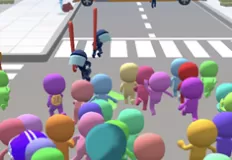
Break a Skyscraper is a satisfying demolition simulator where your main goal is simple yet incredibly addictive: destroy massive skyscrapers piece by piece until nothing remains. With dynamic gameplay and bright, eye-catching visuals, the game delivers a fun and engaging experience that keeps you coming back for more destruction. Every punch brings you closer to total annihilation, turning towering buildings into rubble right before your eyes.
The core gameplay revolves around breaking structures floor by floor while continuously improving your strength. As you progress, you can upgrade your punch power, allowing you to demolish even the toughest skyscrapers faster and more efficiently. What starts as a slow grind quickly transforms into a powerful and rewarding experience as your character becomes capable of tearing through entire buildings with ease.
To enhance your progress, the game introduces a pet collection system. These companions are more than just cosmetic additions — they actively boost your power and speed up your progression. From helpful creatures to legendary pets with unique abilities, each one contributes to your journey toward becoming a true demolition master. Choosing the right combination can significantly improve your efficiency.
Another important feature is the rebirth system, which adds depth and long-term progression. By resetting your progress at the right time, you earn trophies that provide permanent bonuses, making future runs faster and more rewarding. Combined with a variety of skyscrapers, ranging from fragile glass towers to heavily reinforced concrete giants, the game constantly introduces new challenges to overcome.
The controls are simple and intuitive, allowing you to focus entirely on the action. Use the WASD keys to move your character, press Space to jump, and interact with the game interface using the mouse. You can open settings with P and toggle the cursor using Tab, ensuring smooth and comfortable gameplay. Have fun!
Related categories
How to play
WASD = control the character P = settings Space = jump Mouse = interact with in-game UI Tab = show/hide cursor


