


Choose from our recommended games


























































































-
![Racing Games]()
Racing
-
![Boys Games]()
Boys
-
![Wow Wow Wubbzy Games]()
Wow Wow Wubbzy
-
![Girl Games]()
Girl
-
![Friday Night Funkin Games]()
Friday Night Funkin
-
![My Little Pony Games]()
My Little Pony
-
![Cooking Games]()
Cooking
-
![Lego Games]()
Lego
-
![Frozen Games]()
Frozen
-
![Puzzle Games]()
Puzzle
-
![Cars Games]()
Cars
-
![Ben 10 Games]()
Ben 10
-
![Princess Games]()
Princess
-
![Kids Games]()
Kids
-
![Paw Patrol Games]()
Paw Patrol
-
![Hello Kitty Games]()
Hello Kitty
-
![2 Player Games]()
2 Player
-
![Peppa Pig Games]()
Peppa Pig
-
![Sofia the First Games]()
Sofia the First
-
![Minecraft Games]()
Minecraft
-

All categories









Destroy Cars
 26 Apr 2026
 423
423 1
1
Play free Destroy Cars - Cars Games
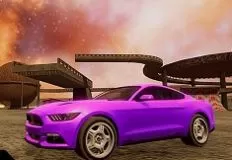
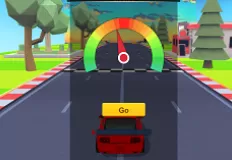
In Destroy Cars, you jump into a fast-paced arcade driving experience where speed, chaos, and destruction come together. You control a small car and race through colorful and dynamic maps filled with obstacles, ramps, and breakable objects. Your main goal is simple: drive fast, survive the track, and cause as much destruction as possible.
Each level is designed to test both your driving skills and your reaction time. You must navigate tricky paths, avoid dangerous traps, and complete various tasks while maintaining control of your vehicle. The environments are filled with interactive elements that react to your movement, making every crash and impact feel satisfying and impactful.
One of the core features of the game is its destruction system. The harder you hit objects, the more spectacular the effects become. Crashes are not just obstacles, they are part of the fun. Watching your car smash through barriers and bounce across the map adds excitement to every run.
As you progress, you unlock new maps with different designs and challenges. Each map introduces new obstacles and layouts, keeping the gameplay fresh and engaging. Improving your performance allows you to become more skilled and efficient in causing controlled chaos. The game also includes boosts and special mechanics that help you gain an advantage. Using speed boosts at the right moment can help you overcome difficult sections or create even bigger crashes.
The controls are simple and accessible on both PC and mobile. On PC, you use keys to drive, boost, brake, and change the camera view. On mobile, you use pedals, arrows, and buttons to control your car easily. This makes the game enjoyable on any device. With its mix of speed, destruction, and fun physics, Destroy Cars offers an exciting and energetic driving experience. Have a great playtime dear kids! Good luck!
Related categories
How to play
Use the keys C, Y, A, V to drive the car. Press Ch to activate boost. Press S to change the camera view. Hold the right mouse button and move the mouse to rotate the camera. Press Space to brake.


