


Choose from our recommended games























































































-
![Boys Games]()
Boys
-
![Wow Wow Wubbzy Games]()
Wow Wow Wubbzy
-
![Girl Games]()
Girl
-
![Friday Night Funkin Games]()
Friday Night Funkin
-
![My Little Pony Games]()
My Little Pony
-
![Cooking Games]()
Cooking
-
![Lego Games]()
Lego
-
![Frozen Games]()
Frozen
-
![Puzzle Games]()
Puzzle
-
![Cars Games]()
Cars
-
![Ben 10 Games]()
Ben 10
-
![Princess Games]()
Princess
-
![Kids Games]()
Kids
-
![Paw Patrol Games]()
Paw Patrol
-
![Hello Kitty Games]()
Hello Kitty
-
![2 Player Games]()
2 Player
-
![Peppa Pig Games]()
Peppa Pig
-
![Sofia the First Games]()
Sofia the First
-
![Minecraft Games]()
Minecraft
-
![Five Nights at Freddy Games]()
Five Nights at Freddy
-

All categories








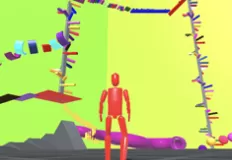


Obby BrainWave
 18 Mar 2026
 364
364 1
1
Play free Obby BrainWave - Roblox Games
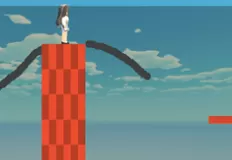
Dive into a chaotic and fast-paced world where brainwaves are everywhere, and your goal is to become the ultimate catcher. In this unique arcade-style experience, you must collect flying memes while reacting quickly to an ever-accelerating wave that chases you. The gameplay blends action, timing, and progression into a satisfying loop that keeps you constantly engaged. Every run challenges your reflexes as you try to grab as many items as possible before making your escape.
As you collect memes, you earn resources that allow you to upgrade your house. Build it taller, stronger, and more visually impressive with each successful run. These upgrades are not just cosmetic, they reflect your progress and achievements, giving you a clear sense of growth as you continue playing. The more efficiently you collect and escape, the faster your base evolves into something truly remarkable.
Along the way, you can discover and unlock pets, each offering unique bonuses that enhance your performance. Some may help you collect items more efficiently, while others might improve your speed or survivability. Choosing the right combination of upgrades and pets becomes an important part of your strategy, especially as the game becomes more intense.
The biggest challenge is the ever-approaching wave. It constantly speeds up, forcing you to make quick decisions and perfect your timing. You’ll need to balance risk and reward, pushing forward to collect more memes while ensuring you don’t get caught. This creates an exciting “build, catch, and run” cycle that keeps every session fresh and unpredictable.
With simple controls, fast restarts, and an addictive gameplay loop, this game is perfect for players looking for quick bursts of fun combined with meaningful progression. Whether you aim to build the tallest house or master the fastest escapes, every run brings a new opportunity to improve. Use WASD or the arrow keys to move, press Q to enable or disable the cursor, use the Space bar to jump, and press E to interact with objects.
Related categories
How to play
WASD / arrow keys = move Q = enable/disable cursor Space = jump E = interaction


