


Choose from our recommended games










































































































-
![Wow Wow Wubbzy Games]()
Wow Wow Wubbzy
-
![Girl Games]()
Girl
-
![Friday Night Funkin Games]()
Friday Night Funkin
-
![My Little Pony Games]()
My Little Pony
-
![Cooking Games]()
Cooking
-
![Lego Games]()
Lego
-
![Frozen Games]()
Frozen
-
![Puzzle Games]()
Puzzle
-
![Cars Games]()
Cars
-
![Ben 10 Games]()
Ben 10
-
![Princess Games]()
Princess
-
![Kids Games]()
Kids
-
![Paw Patrol Games]()
Paw Patrol
-
![Hello Kitty Games]()
Hello Kitty
-
![2 Player Games]()
2 Player
-
![Peppa Pig Games]()
Peppa Pig
-
![Sofia the First Games]()
Sofia the First
-
![Minecraft Games]()
Minecraft
-
![Five Nights at Freddy Games]()
Five Nights at Freddy
-
![Beyblade Games]()
Beyblade
-

All categories

























Sudoku Classic and Killer
 22 May 2026
 320
320 1
1
Play free Sudoku Classic and Killer - Puzzle Games
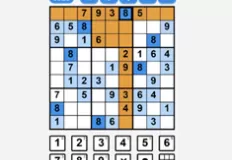
Sudoku brings the timeless number puzzle experience into a beautifully designed and feature-rich game built for both beginners and experienced puzzle fans. With multiple game modes, adjustable difficulty levels, daily challenges, and quality-of-life features, it offers everything you need to enjoy one of the world’s most popular logic games.
The objective follows the classic Sudoku formula: place the numbers 1 through 9 into every row, column, and 3×3 box without repeating any number. While the rules are simple, mastering the puzzle requires logic, patience, and strategic thinking, especially on higher difficulties. The game includes several exciting modes. Classic Sudoku delivers the traditional puzzle experience, while Killer Sudoku introduces an additional layer of strategy through cages with target sums that must be calculated carefully.
There is also a Daily Challenge mode, giving players a fresh puzzle every day and encouraging consistent practice. Players can choose from four difficulty levels depending on their experience. Easy mode is ideal for beginners, Medium offers a balanced challenge, Hard requires advanced solving techniques, and Expert mode pushes even skilled Sudoku players to their limits.
To support players during difficult moments, the game includes several helpful features. A smart hint system provides limited hints each day, pencil notes help track possible candidates, and unlimited undo allows you to correct mistakes freely. There is also a mistake counter system with three lives per puzzle, adding extra tension and challenge.
The game tracks your best completion times, encouraging faster and more efficient solving. Completing puzzles also unlocks additional color themes, allowing you to customize the visual style of the interface. Controls are smooth and fully optimized for desktop and mobile devices. Use the left mouse button or keys 1–9 to place numbers, Arrow Keys to navigate cells, Backspace/Delete to erase entries, Ctrl+Z to undo moves, and N to toggle Notes mode.
How to play
Left mouse button / 1-9 = place a number Arrow Keys = navigate between cells Backspace / Delete = erase Ctrl+Z = undo N = toggle Notes mode


