


Choose from our recommended games

































































































-
![3D Games]()
3D
-
![Boys Games]()
Boys
-
![Wow Wow Wubbzy Games]()
Wow Wow Wubbzy
-
![Girl Games]()
Girl
-
![Friday Night Funkin Games]()
Friday Night Funkin
-
![My Little Pony Games]()
My Little Pony
-
![Cooking Games]()
Cooking
-
![Lego Games]()
Lego
-
![Frozen Games]()
Frozen
-
![Puzzle Games]()
Puzzle
-
![Cars Games]()
Cars
-
![Ben 10 Games]()
Ben 10
-
![Princess Games]()
Princess
-
![Kids Games]()
Kids
-
![Paw Patrol Games]()
Paw Patrol
-
![Hello Kitty Games]()
Hello Kitty
-
![2 Player Games]()
2 Player
-
![Peppa Pig Games]()
Peppa Pig
-
![Sofia the First Games]()
Sofia the First
-
![Minecraft Games]()
Minecraft
-

All categories










Island Expander
 20 Feb 2026
 658
658 1
1
Play free Island Expander - Minecraft Games
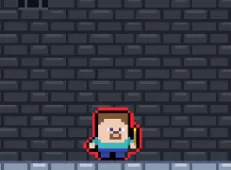
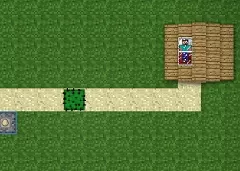
Island Expander is a cozy crafting and exploration game where you begin with a tiny, almost empty island and gradually transform it into a thriving paradise. Surrounded by calm ocean views and a peaceful atmosphere, you gather natural resources and use them to build tools, machines, and structures that expand your land.
At the heart of the experience is a relaxing crafting loop designed to feel meditative rather than rushed. You explore your surroundings, collect materials such as wood, stone, and other resources, and unlock new recipes as you advance. With more than thirty items to discover and craft, the game steadily introduces new possibilities, from simple survival tools to more complex production devices.
Expansion happens tile by tile, making development feel tangible and rewarding. As you unlock new land segments, fresh resources and crafting opportunities become available, encouraging continued exploration. The island gradually changes from a sparse starting area into a diverse environment filled with crafted structures and functional machinery. This steady transformation reinforces the feeling that your creativity and persistence directly shape the world around you.
The calm presentation supports the game’s cozy identity. Soft visuals, gentle pacing, and an emphasis on steady progress make Island Expander ideal for players who enjoy low-stress gameplay focused on creativity and growth. There are no harsh time limits or pressure mechanics, allowing you to build at your own rhythm while enjoying the soothing loop of gathering, crafting, and expanding.
Controls are designed to be simple and accessible on both PC and mobile devices. On PC, you move with WASD or arrow keys, look around with the mouse, equip tools using keys one to four, and interact or use tools with the left mouse button and E key. The inventory opens with Tab, while P pauses the game and B unlocks the mouse cursor.
Related categories
How to play
Move mouse = look around WASD / Arrow keys = move Keys 1-4 = equip tools Left-click = hit / use tool Tab = open inventory; E = interact with an object P = pause menu B = unlock Mouse


