


Choose from our recommended games





































































































-

Wow Wow Wubbzy
-

Girl
-

Friday Night Funkin
-

My Little Pony
-

Cooking
-

Lego
-

Frozen
-

Puzzle
-

Cars
-

Ben 10
-

Princess
-

Kids
-

Paw Patrol
-

Hello Kitty
-

2 Player
-

Peppa Pig
-

Sofia the First
-

Minecraft
-

Five Nights at Freddy
-

Beyblade
-

All categories


















Geometry Cube Sunset Sandstorm
 17 Nov 2026
 42
 1
Play free Geometry Cube Sunset Sandstorm - Adventure Games
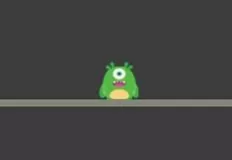
Geometry Cube: Sunset Sandstorm is an exciting rhythm-based platform game where a small cube races across the lined pages of a school notebook. The entire world looks like a collection of playful pen doodles, with spikes, ceiling thorns, jump pads, and rings drawn along the margins. Your task is to guide the cube through every obstacle by jumping at exactly the right moment. The gameplay is easy to understand, but even a tiny mistake can send you back to the beginning.
The adventure features 10 unique pages, starting with "First Page" and ending with "Final Bell". Each page introduces new ideas, obstacles, and its own music, while the speed and difficulty gradually increase. Since the cube moves automatically, your main challenge is to concentrate on the upcoming path and time every jump perfectly.
Special objects add variety to the jumping mechanics. Yellow jump pads automatically launch your cube high into the air, while jump rings allow you to perform another jump during flight. Activating a ring at the correct moment can help you overcome difficult obstacle combinations and reach otherwise inaccessible sections. Learning how these objects work is essential for completing the more demanding pages.
If a section proves too difficult, switch to Practice Mode using the flag button in the menu. Checkpoints are automatically placed as you progress, allowing you to practise challenging sections without restarting the entire page after every mistake. Once you have mastered the difficult parts, try completing the whole page in one successful run.
The controls are simple and work across computers, phones, and tablets in any screen orientation. Tap the screen, click the mouse, or press Space, the Up Arrow, or W to jump. Hold the button to jump again whenever the cube lands. Time your taps carefully when passing through jump rings. Pause the game using the corner button, Esc, or P. Your progress is saved automatically, so you can return whenever you like and continue your notebook adventure.
How to play
Jump: tap the screen, click the mouse, or press Space, Up Arrow or W. Hold the button to jump again every time the cube lands.


